
Flight Tracker - Flight Radar
Airport Flights Status™Maps & Navigation
2.8205.00 Reviews
- Version
- 1.1.2
- Installs
- 5.00M
- Age Rating
- Everyone
Screenshots
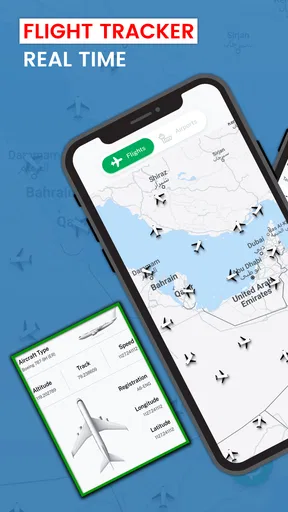

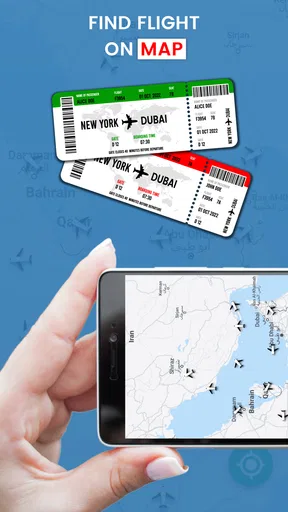
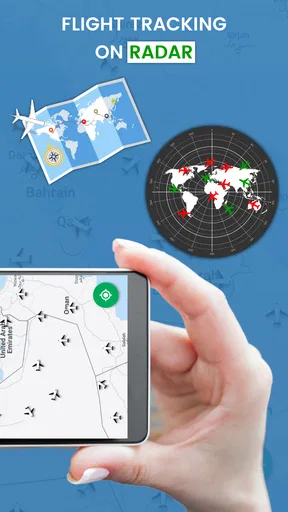
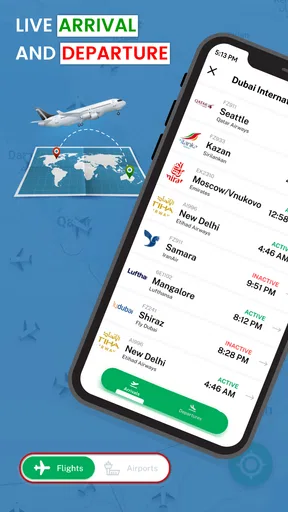
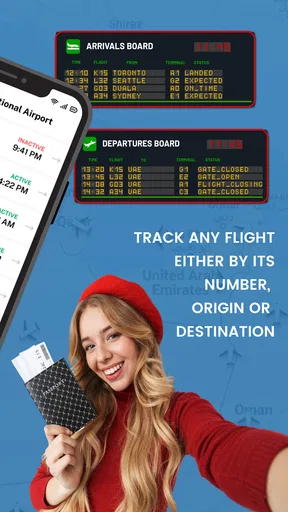
Our Review of Flight Tracker - Flight Radar
 Analysis by Appyee
When I want to know what a flight is doing, I care less about a map full of moving icons than about whether the information helps me make a sensible next decision. Flight Tracker - Flight Radar puts flight tracking at the center of the experience: it is a Maps & Navigation app from Airport Flights Status™ that lets you follow aircraft on a radar-style map. That focus can be useful for checking a journey from a distance, but it is important to treat a tracking app as a companion to airport and airline information, not a replacement for it.
What following a flight actually gives you
The practical appeal of radar-style tracking is that it turns an abstract flight number into something you can watch move along its route. Instead of wondering whether a plane has left the area or is still approaching, you can look at its position and flight path. For someone meeting a traveler, that visual context can make waiting feel less like guesswork.
I find this kind of view most useful when I already know which flight I care about. Searching with a flight identifier, when available in the app, is a more direct way to focus than scanning a busy map and trying to recognize one aircraft among many. If I am simply curious about air traffic, browsing the map is an engaging diversion; if I need to coordinate a pickup, I would first identify the particular service and keep the airport’s own board handy as a second reference.
Putting the map to work on a travel day
Imagine a friend is flying in and I am deciding when to leave home. I can use the radar view to get a sense of whether the aircraft is still en route or nearing its destination, then check the airport’s arrival information before setting off. That is a better workflow than relying on a map alone: the map answers “where does the aircraft appear to be?”, while the airport board is the place I would look for the latest operational instructions and the details that affect my pickup.
The same approach helps when a family member is traveling and sends only a flight number. I can follow the journey without repeatedly asking them for updates, then use a direct message or the airport’s official information when a gate, terminal, or meeting point matters. A moving aircraft icon is helpful context, but it does not remove the need to confirm practical arrangements.
Useful for curiosity, less decisive for logistics
For plane-spotting from home, the radar view has a different kind of value. It gives me a reason to look up when a plane passes overhead and lets me follow its progress visually. That makes the app more engaging than a plain list of flight numbers for casual exploration. The trade-off is that a map can tempt you to read more certainty into a position display than it can provide for real-world plans.
I would not use a third-party tracker as my only source for a time-sensitive airport decision. Flight status can change, and the app’s average rating is 2.3 from around four thousand ratings, so I would approach it with measured expectations rather than assume every detail will be dependable. For a critical connection, a pickup with a tight schedule, or a change that could affect a traveler’s plans, I would compare what I see here with airline or airport updates.
Who is likely to get the most from it
This app makes the most sense for people who enjoy watching aircraft, want a visual way to follow a known flight, or are checking on a traveler without needing a full trip-planning suite. It has passed one million installs, is free to download, and is rated for Everyone, which makes it easy to try as a casual tracking tool. The current version is 1.4.3, and in-app purchases are listed from $9.99 to $39.99 per item; I would check what an offer includes before paying rather than assume the basic tracking task requires an upgrade.
Someone who mainly needs gate changes, boarding guidance, baggage details, or firm disruption instructions may be better served by the airline’s own app or the airport’s official channels. Those tools are usually the more sensible place to act on operational information. I see this tracker as a visual sidekick: useful for perspective and curiosity, but not the final authority when a decision has consequences.
Released on November 9, 2022, and requiring Android 7.0 or later, the app has a straightforward purpose. Whether it earns a place on your phone depends on how much you value a radar-style view and how carefully you verify important updates elsewhere. The strongest habit is simple: use the map to understand the journey, then confirm anything that affects where or when you need to be.
Getting Started with Flight Tracker - Flight Radar
Installing Flight Tracker - Flight Radar is a breeze. Available on both Android and iOS, you can find it easily on the Play Store or App Store. Once installed, the app greets you with a sleek and user-friendly interface. It's intuitive enough that even if you're not a tech whiz, you'll feel right at home navigating through its features.
Features That Make Your Journey Smoother
One of the standout features of this app is its real-time flight tracking. You can watch flights zoom across the globe, all from the palm of your hand. The app provides detailed information about each flight, including departure and arrival times, delays, and even gate changes. It's like having a personal flight assistant!
If you're the kind of person who loves statistics, you'll appreciate the app’s ability to show you flight paths, altitudes, and speeds. It’s fascinating to see the logistics behind air travel laid out so clearly.
Planning Your Trip with Ease
Another handy feature is the airport information section. Here, you can check out details about airports worldwide, including facilities, maps, and even weather updates. This can be super helpful if you're planning a layover and need to know where to grab a quick bite or how to navigate to your next gate without breaking a sweat.
And let’s not forget the notifications. The app allows you to set up alerts for your flights, so you’re always in the loop without having to constantly check your phone. Less stress, more time to grab that pre-flight coffee.
Why You’ll Love Using This App
Now, let’s talk about the app's design. It’s minimalistic yet visually appealing, with a color scheme that’s easy on the eyes. Navigating through different sections feels fluid, and the load times are impressively quick. It’s clear that the developers put a lot of thought into creating an app that’s both functional and enjoyable to use.
One of my favorite things about Flight Tracker - Flight Radar is how it brings a sense of connection. Whether you're tracking a loved one’s flight or just curious about where that plane overhead is headed, the app fosters a sense of global community. It's like a window to the world, right in your pocket.
Wrapping Up the Journey
In a world where travel can sometimes be unpredictable, having Flight Tracker - Flight Radar at your disposal feels like a breath of fresh air. It’s reliable, informative, and just plain fun to use. Whether you’re a frequent flyer or someone who just loves planes, this app is definitely worth checking out.
So, the next time you're planning a trip or just curious about air traffic, give Flight Tracker - Flight Radar a spin. Who knows? It might just become your favorite travel companion.
Verdict
Strengths of Flight Tracker - Flight Radar
- Real-time flight updates with minimal delay.
- User-friendly interface for easy navigation.
- Global coverage for tracking flights worldwide.
- Customizable alerts for flight status changes.
- Detailed airport information and maps.
Limitations of Flight Tracker - Flight Radar
- Requires internet connection for live updates.
- Advertisements can be intrusive at times.
- Premium features behind a paywall.
- Limited offline capabilities.
- Some minor bugs in flight tracking accuracy.
Similar Picks in This Category
View All
Uber - Request a ride
Uber Technologies, Inc.4.7


inDrive. Rides with fair fares
® SUOL INNOVATIONS LTD4.8

Yandex Go: Taxi Food Delivery
Mikromobilnost LLC Belgrade4.8

Bolt: Request a Ride
Bolt Technology4.8

Rapido: Bike-Taxi, Auto & Cabs
Rapido Bike Taxi4.8
Frequently Asked Questions
What features does Flight Tracker - Flight Radar offer?
Flight Tracker - Flight Radar provides real-time flight tracking, comprehensive airport details, and detailed aircraft information. Users can view flight paths, check delays, and receive notifications about flight status changes. The app also offers a map view to visualize air traffic and a search function to find specific flights easily.
Is Flight Tracker - Flight Radar available for both Android and iOS?
Yes, Flight Tracker - Flight Radar is available for download on both Android and iOS platforms. Users can find it on the Google Play Store for Android devices and the Apple App Store for iOS. The app is designed to work seamlessly across different devices, ensuring consistent functionality and user experience.
Does Flight Tracker - Flight Radar require an internet connection?
Yes, an internet connection is necessary for Flight Tracker - Flight Radar to function effectively. The app relies on real-time data updates regarding flight statuses, routes, and airport information, which requires a stable network connection to provide accurate and up-to-date information.
Are there any in-app purchases or subscriptions in Flight Tracker - Flight Radar?
Flight Tracker - Flight Radar offers a free version with basic features. However, to access premium features such as ad-free browsing, advanced flight alerts, and additional map options, users may opt for in-app purchases or a subscription plan. Prices and options can vary, so it’s advisable to check within the app for current details.
How user-friendly is Flight Tracker - Flight Radar for new users?
Flight Tracker - Flight Radar is designed with user-friendliness in mind. It features an intuitive interface that guides users through its various functionalities. New users will find it easy to navigate the app's menus and access key features like flight search and map views. Additionally, tutorials and help sections are available to assist users as needed.
